Subagents — specialized AI that doesn't pollute your context
There’s a particular kind of mistake I used to make with AI coding agents. Something would seem off in a part of the codebase I didn’t know well. I’d ask the agent: “can you take a look at the security implications of this auth change?” The agent would respond enthusiastically, open ten files, read them in full, summarize each, cross-reference a rule set, and produce a thoughtful report.
And then the rest of my conversation was wrecked.
The agent’s context was now full of those ten files, the security rules, the report, and the chain of reasoning that produced it. When I went back to working on the original task — which had nothing to do with security — the agent kept reaching for that material. The signal-to-noise ratio dropped. After a few more exchanges, I’d have to start a fresh conversation, losing all the project-specific context I’d built up earlier.
This is the context pollution problem, and it’s one of the reasons I started using subagents.

What a subagent is
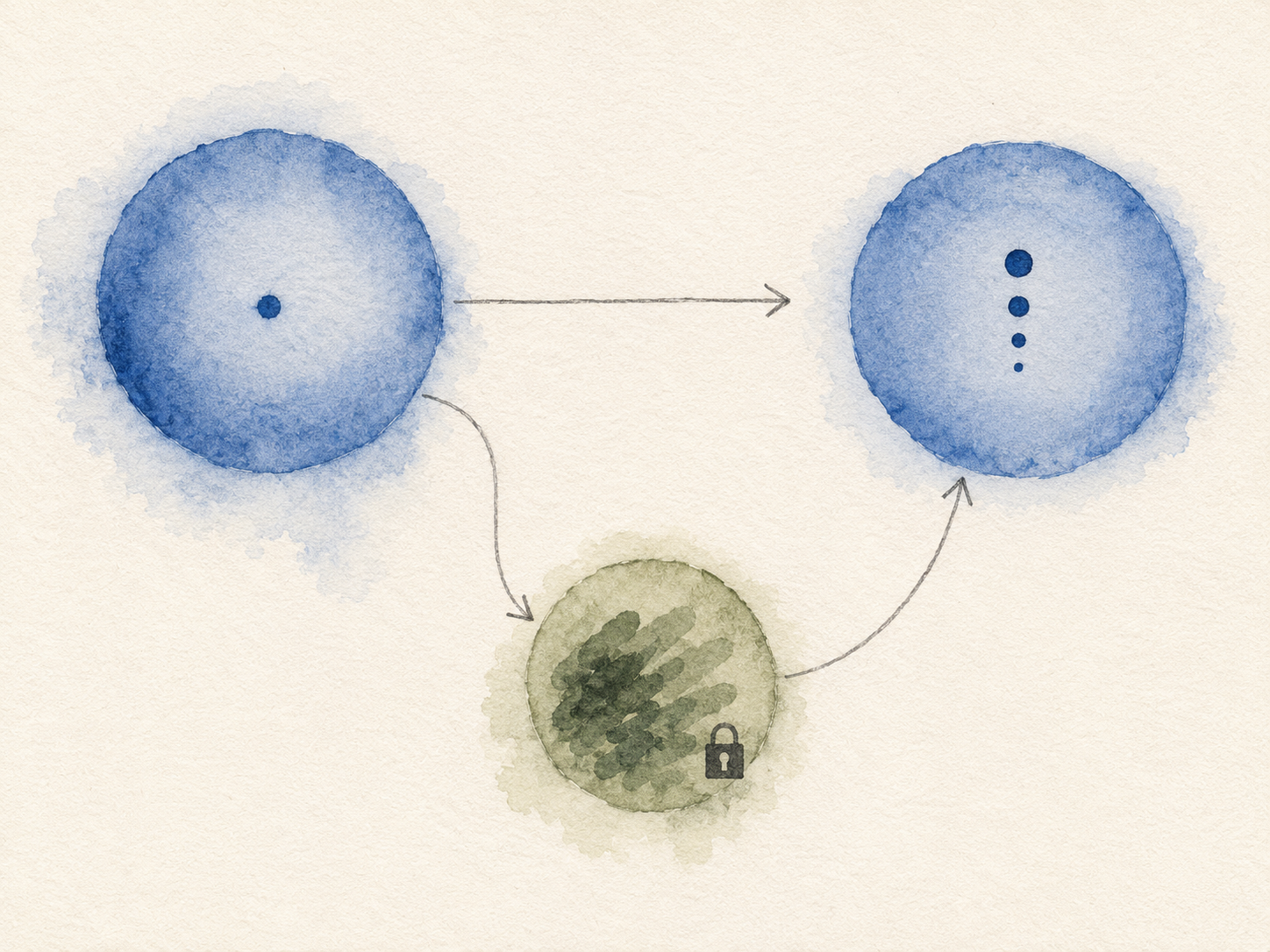
A subagent is a separate AI instance, spawned by your main conversation, with its own context window. The parent agent invokes it with a task description; the subagent does the work in isolation; it returns a result; the parent receives the result and the subagent vanishes.
From the parent agent’s perspective, calling a subagent is conceptually similar to calling a function. You don’t see what happens inside. You don’t inherit the work-in-progress state. You just get the return value.
The implementation looks roughly like this — a Markdown file in a folder the parent agent watches:
---
name: org-standards-security-review
description: >
  Security and privacy review against the org standards.
  Use when implementing or reviewing auth, APIs, data handling,
  uploads, crypto, sessions, or infra. Use proactively for
  sensitive features.
model: inherit
readonly: true
---

You review work against the org standards in `standards/rules/`.

## When invoked

1. From the parent prompt, infer scope (features, files, APIs).
2. Identify which topics under `standards/rules/` apply.
3. Read the relevant `standards/rules/*.md` files and compare
   the implementation to the written rules.
4. Report by severity (Critical / High / Medium / Low).
   Each finding must reference a rule file.
That’s the whole subagent definition. The frontmatter declares its name, when it should be invoked, what model to use (inherit from the parent in this case), and — crucially for this one — that it’s read-only. The body is the system prompt the subagent runs with.
The agent runtime handles the rest: spawning the subagent with its own context, passing in the parent’s task description, capturing the response, and bringing it back.
The three properties that matter
A subagent has three properties that shape when it’s worth using.
Isolation
The subagent’s context is its own. Whatever it reads, the parent doesn’t have to read. Whatever it concludes, the parent receives as a summary, not as the raw chain of reasoning. The parent’s context stays focused on the parent’s actual task.
Specialization
Because the subagent has its own system prompt, it can be tuned for one specific job. The security-review subagent doesn’t have to be good at writing code or generating tests; it has to be good at reading rules and comparing implementations against them. The narrower the specialization, the cleaner the output.
Optional read-only mode
Most subagents I write are flagged readonly: true. They can read files, run shell commands, browse the codebase — but they can’t write anything. That’s the right default for review and analysis work.
Read-only mode does two things: it prevents accidents (a subagent that misinterprets its task can’t damage anything), and it changes my mental model of what’s safe to delegate. I’ll happily spawn a read-only subagent for almost any analysis task. I’d think harder before spawning a writable one.

When to reach for a subagent
Three patterns where subagents are clearly the right tool.
Heavy reads with a small return. Tasks where the agent has to consume a lot of material to produce a short answer. Reviewing a change against thirty rule files. Auditing a feature against a checklist. Searching a codebase for instances of a pattern. The “consume” part is exactly what pollutes the context; the “return a short answer” part is exactly what the parent actually wants.
Specialization that doesn’t fit the parent’s role. Code review, security review, dependency audits, accessibility checks, license scanning. Each of these benefits from a focused system prompt and a defined output format. Mixing them into the parent agent’s general-purpose prompt dilutes both.
Parallel work. When two independent investigations need to happen at the same time, spawning two subagents in parallel keeps each on its own track. The parent waits for both results. Each subagent’s context is clean. Total wall-clock time goes down because the analyses overlap.
When not to reach for a subagent
The temptation, once you’ve written one, is to use them for everything. Resist.
Don’t subagent trivial work. If the task takes one tool call and a paragraph of analysis, the subagent overhead — spawning, context-passing, summarization — is more cost than benefit. Just do the work in the parent.
Don’t subagent things you’ll need to follow up on. A subagent’s context evaporates after it returns. If you might want to ask “wait, why did you say X about that file?” two minutes later, the subagent isn’t there to answer. Use the parent for tasks that have a likely follow-up.
Don’t subagent for context you actually want polluted. Sometimes the “pollution” is exactly the point. If you’re trying to build up the parent’s understanding of a system, doing the reading in the parent is correct. The subagent gives you a summary; the parent gives you fluency. Different needs.
What the parent and subagent each handle
The cleanest mental model I’ve found:
| Concern | Belongs in | Why |
|---|---|---|
| The user’s overall goal | Parent | Parent owns the conversation arc |
| The current edit-in-progress | Parent | Subagents are stateless across turns |
| Reading rule files for a one-off audit | Subagent | Don’t pollute parent with reference material |
| Cross-checking a change against an external standard | Subagent | Specialized, read-heavy, narrow output |
| Drafting code | Parent | The parent is doing the work |
| Reviewing the drafted code against policy | Subagent | Specialized review, isolated reading |
| Tracking project-wide context (decisions, gotchas) | Parent | This is the conversation’s spine |
The pattern: specialized and read-heavy goes to the subagent. The conversation’s spine stays in the parent.
A few things that surprised me
Subagents make me ask better questions. When I have to write down — in the subagent’s prompt — exactly what I want it to do, I notice the questions I’d been hand-waving in chat. The act of formalizing the task into a subagent definition often surfaces ambiguity the parent had been silently absorbing.
Read-only subagents change what I’m willing to automate. A writable subagent makes me cautious — I want to review what it’s about to do before it does it. A read-only subagent doesn’t have that pressure. I’ll spawn one for any “go look at this and tell me what you find” task without a second thought. The category of work I delegate expanded the moment read-only became the default.
The output format is half the value. A subagent that returns a paragraph of free-form prose is barely better than the parent doing the same work. A subagent that returns a structured report — severity, file, rule citation, line number — is qualitatively different. The parent agent can act on the structured output, decide which findings to address first, route them to the right edits. The format is what makes the result composable.
Subagents become reusable infrastructure. I wrote one for security review and ended up using it across every project I work on. The subagent’s specialization is portable in a way that a one-off prompt isn’t. Specialization compounds.
How they fit with rules and skills
This is the third leg of the triangle, after rules and skills.
- Rules load automatically when files match. They steer the parent’s behavior on every edit.
- Skills are on-demand procedures the parent invokes by name. They run in the parent’s context.
- Subagents are isolated AI instances spawned by the parent. They run in their own context.
You’ll usually want all three on a non-trivial project: rules raise the floor, skills give procedures, and subagents handle the heavy specialized work the parent shouldn’t keep in its own context.
A small piece of advice
If you’ve never written a subagent, start with the security-review shape: read-only, narrow specialization, structured output. Tomorrow’s post walks through the one I actually use.
Once you’ve felt how that’s different from doing the same review in the parent’s context, you’ll start spotting other tasks that fit the same shape.