Drawing a user flow graph with D3.js Sankey and React
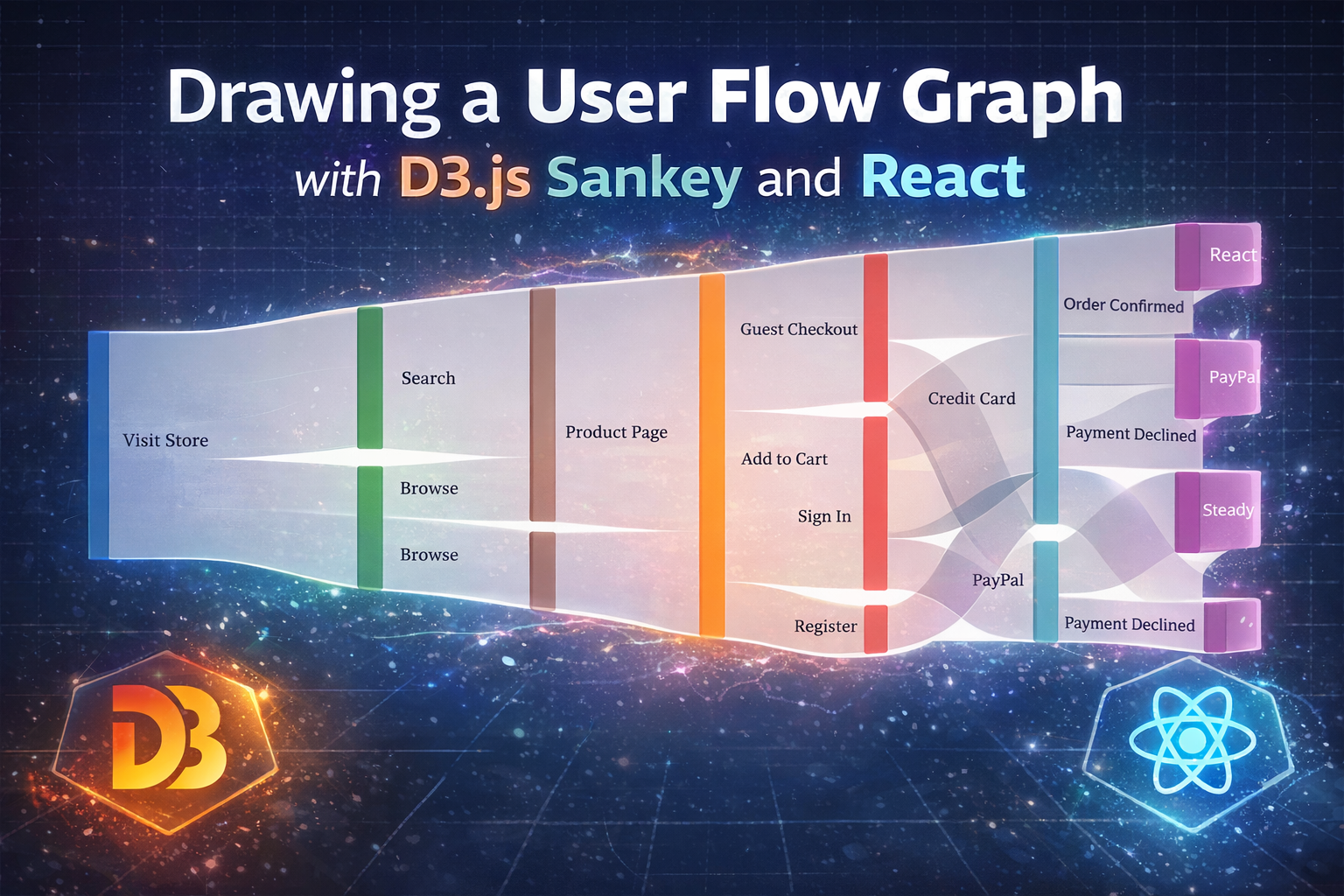
This post has been sitting as a draft since early 2019. It started as a side project — an experiment around using Sankey diagrams to document software behavior. I built a rough proof of concept with D3.js, wrote half a blog post about it, and then life happened. The idea never left my mind, but I never got around to finishing it either. Fast forward to now, AI helped me wrap this up — building the component, fleshing out the examples, finishing the writing. It’s still very experimental and full of rough edges, but it feels good to finally ship something that’s been collecting dust for almost seven years.
Have you ever tried to document how users navigate through a feature in your application? Flowcharts and decision trees work fine for simple cases, but once you start mapping all the possible paths — with confirmations, edge cases, and outcomes branching out — things get messy fast.
I’ve been experimenting with Sankey diagrams as an alternative way to represent user flows, and the results are pretty interesting. Here’s an example — a CI/CD pipeline where a single code push fans out through parallel checks, converges at build, branches again through staging tests, and flows through review into production:
Hover over nodes to trace all connected paths through the flow.
Why Sankey diagrams?
Sankey diagrams are traditionally used to visualize flows of energy, materials, or money — where the width of each link represents the magnitude of the flow. But if you think about it, user flows through software are structurally similar: there’s an entry point, a series of possible actions, and multiple outcomes. Variations in behavior naturally create branches downstream.
What makes Sankey particularly useful for documenting software behavior is that you can see all possible paths at once, from initialization to final outcome. Unlike a flowchart where you follow one path at a time, a Sankey diagram gives you the full picture: where flows converge, where they diverge, and how different actions lead to different results.
User experience is fundamentally about a human being moving through time and space. A person sits in front of a screen, and from that moment forward, every tap, click, or scroll is a step in a journey that only moves in one direction. They can press the back button, sure. They can return to the home screen. But they are not the same person they were before — they’ve already seen things, made choices, formed expectations. The state of the interface may look identical, but the moment in time is different. The experience never rewinds.
This is something we tend to overlook when we model software behavior. We draw diagrams with arrows going back and forth, as if the user is bouncing between states in a timeless space. But the truth is closer to a river: it can branch, it can widen, it can split around obstacles, but the water never flows upstream. Sankey diagrams are traditionally used for bi-directional flows — energy cycling through a system, money circulating between accounts. But for user experience, the flow is uni-directional. Time only goes forward, and so does every user’s journey through a system. That’s the key insight behind using Sankey this way: each path through the diagram represents a possible experience unfolding through time, from left to right, from beginning to end.
The concept
Take an e-commerce checkout as an example. From the store’s landing page, users can discover products through search or browsing. After viewing a product and adding it to cart, they choose how to authenticate — guest checkout, sign in, or register. Then they pick a payment method, and the flow ends with either a confirmed order or a declined payment. A uni-directional Sankey chart maps this nicely across stages:
- Entry — The starting point (visiting the store)
- Discovery — How the user finds what they want (search, browse)
- Interest — Engaging with the product
- Cart — Committing to a purchase
- Account — Choosing an authentication path
- Payment — Selecting a payment method
- Result — Success or failure
Each stage flows into the next, and the branching pattern reveals how a single entry point fans out into multiple possible end states. You immediately see which paths converge (search and browse both lead to the product page), where they diverge (three authentication options), and how different choices ultimately lead to the same outcomes.
Notice how the diagram reads like time itself. The user who browses and then signs in arrives at the credit card form in a different state of mind than the one who searched and checked out as a guest — even though they’re looking at the same screen. The Sankey captures this: they are on different paths, with different histories, arriving at what only appears to be the same place. The position in the diagram is not just a screen — it’s a moment in someone’s experience.
Here’s the checkout flow example in action:
Hover over nodes to trace all connected paths through the flow.
D3.js and d3-sankey
For the implementation, I started experimenting with D3.js and the biHiSankey plugin by Neilos, which supports hierarchical collapsible nodes and bi-directional links. That was a great proof of concept, but for a clean uni-directional user flow, the standard d3-sankey module turned out to be a better fit — simpler API, better maintained, and designed exactly for left-to-right flow layouts. And conceptually, stripping away the bi-directional capability felt right. The user’s experience doesn’t flow backwards. Neither should the diagram.
The data model is straightforward. Nodes represent states or actions, and links connect them:
const data = {
  nodes: [
    { id: "visit", name: "Visit Store" },
    { id: "search", name: "Search" },
    { id: "browse", name: "Browse" },
    { id: "product", name: "Product Page" },
    { id: "cart", name: "Add to Cart" },
    { id: "guest", name: "Guest Checkout" },
    { id: "signin", name: "Sign In" },
    { id: "register", name: "Register" },
    { id: "card", name: "Credit Card" },
    { id: "paypal", name: "PayPal" },
    { id: "confirmed", name: "Order Confirmed" },
    { id: "declined", name: "Payment Declined" },
  ],
  links: [
    { source: "visit", target: "search", value: 5 },
    { source: "visit", target: "browse", value: 3 },
    { source: "search", target: "product", value: 5 },
    { source: "browse", target: "product", value: 3 },
    { source: "product", target: "cart", value: 8 },
    { source: "cart", target: "guest", value: 3 },
    { source: "cart", target: "signin", value: 4 },
    { source: "cart", target: "register", value: 1 },
    { source: "guest", target: "card", value: 2 },
    { source: "guest", target: "paypal", value: 1 },
    { source: "signin", target: "card", value: 3 },
    { source: "signin", target: "paypal", value: 1 },
    { source: "register", target: "card", value: 1 },
    { source: "card", target: "confirmed", value: 5 },
    { source: "card", target: "declined", value: 1 },
    { source: "paypal", target: "confirmed", value: 2 },
  ],
};
Each node gets an id and a human-readable name. Links define the flow between nodes, and the value property controls the thickness of each connection — you could use uniform values to focus purely on structure, or proportional values to represent actual traffic volume.
The d3-sankey layout handles positioning automatically, arranging nodes in columns by their depth (distance from the source) and drawing curved paths between them.
Interactive features
One of the coolest things about rendering this with D3 is the interactivity. Hovering over a node highlights all connected paths — tracing the full flow both upstream and downstream — while fading everything else. This makes it really easy to answer questions like “what happens after the user clicks Sign In?” or “which paths lead to a declined payment?”
In a way, the hover interaction lets you do something the user never can: travel back in time. You pick a moment in the flow and instantly see everything that led to it and everything that follows. The user lived it forward, one step at a time. You get to see the whole story at once.
The component
Setting up the Sankey layout with d3-sankey is pretty clean. You configure the layout parameters and let it compute the node positions and link paths:
import { sankey, sankeyLinkHorizontal, sankeyLeft } from "d3-sankey";

const sankeyLayout = sankey()
  .nodeId(d => d.id)
  .nodeWidth(16)
  .nodePadding(14)
  .nodeAlign(sankeyLeft)
  .extent([[margin.left, margin.top], [width - margin.right, height - margin.bottom]]);

const graph = sankeyLayout({
  nodes: data.nodes.map(d => ({ ...d })),
  links: data.links.map(d => ({ ...d })),
});
For the hover interaction, I recursively trace all connected links in both directions from the hovered node:
function getConnected(node) {
  const connectedLinks = new Set();
  const connectedNodes = new Set([node]);

  function traceForward(n) {
    graph.links.forEach(l => {
      if (l.source === n && !connectedLinks.has(l)) {
        connectedLinks.add(l);
        connectedNodes.add(l.target);
        traceForward(l.target);
      }
    });
  }

  function traceBackward(n) {
    graph.links.forEach(l => {
      if (l.target === n && !connectedLinks.has(l)) {
        connectedLinks.add(l);
        connectedNodes.add(l.source);
        traceBackward(l.source);
      }
    });
  }

  traceForward(node);
  traceBackward(node);
  return { connectedLinks, connectedNodes };
}
Then it’s just a matter of adjusting opacities on hover to fade the unconnected elements and highlight the connected ones.
Where this could go
The checkout and CI/CD examples above are just starting points. Once you start thinking about software behavior as a flow through time, almost any system can be mapped this way. Here are some directions I find exciting:
Feature specs and complexity analysis. Before writing a single line of code, map out all the possible user paths through a feature. The diagram immediately reveals hidden complexity — edge cases you hadn’t considered, states that are harder to reach, paths that converge in unexpected ways. It’s a design tool as much as a documentation tool.
QA and test coverage. Overlay test coverage data on the flow. Which paths have automated tests? Which are only covered by manual QA? Which have never been tested at all? The visual makes gaps obvious in a way that a coverage percentage never can.
Analytics and real user data. Replace the example values with actual traffic numbers. Suddenly you see not just what users can do, but what they actually do — which paths are highways, which are dirt roads, and which are dead ends nobody ever takes. The thickness of each link tells a story about real human behavior.
Incident response pipelines. From alert firing through triage, investigation, mitigation, and post-mortem. Multiple monitoring sources feed into severity classification, branch through parallel investigation tracks, and converge at resolution. Every incident is a journey through time, and no two follow the same path.
E-commerce order fulfillment. The full lifecycle from order placement through fraud checks, inventory routing, warehouse picking, carrier selection, and delivery outcomes. A single order branches depending on stock availability, shipping method, and a dozen other variables — each branch representing a different experience for the customer waiting on the other end.
API request lifecycle. A single HTTP request flowing through your full stack — from client type through CDN, load balancer, authentication, rate limiting, route handling, data sources, and response assembly. Every request is a tiny journey through time, and the Sankey reveals how many different paths exist through what feels like a simple API call.
Content publishing and moderation. From content creation through automated checks, human review, preparation, multi-channel distribution, and engagement tracking. Different content types take different paths through moderation, converge at scheduling, fan out across distribution channels, and flow into engagement metrics. Here’s what that looks like with 36 nodes:
Hover over nodes to trace all connected paths through the flow.
You can check out the original D3 v3 experiment here: Hello World: D3.js. The component embedded in this post uses the more modern d3-sankey module, which I think is the better fit for this use case.